
Scan Receipts On-Site. Track Costs By Job.
Contractors need a receipt scanner that works as hard as they do. Capture receipts at the hardware store, on the job site, or at the gas pump, then track every dollar by project.
Web signup, 14-day free trial, and direct export to your accounting workflow.
Decision points
Receipt Problems Every Contractor Faces
From faded receipts in your truck console to missing invoices, these are the problems we solve.
Receipts Damaged on Job Sites
Paper receipts get wet, dusty, torn, and crumpled on construction sites. By the time you get home, half of them are illegible. Scan them immediately and the digital copy lasts forever.
Tracking Material Costs Per Job
When you buy supplies for three different jobs in one trip to the hardware store, how do you split the costs? Tag each receipt to a specific job so your project costing stays accurate.
Subcontractor Expense Receipts
Subcontractors send invoices in every format: email, paper, text message photos. Forward or upload them all into one place and let the AI sort out the details.
Fuel and Equipment Receipts
Fuel stops, equipment rentals, and tool purchases add up fast but are easy to lose track of. Scan fuel receipts at the pump and equipment rental receipts at pickup to keep a complete record.
How It Works for Contractors
A workflow designed for people who are on their feet all day, not behind a desk.
Scan at Point of Purchase
Open the app and snap a photo of the receipt at the hardware store, gas station, or rental yard. Takes less than five seconds.
AI Extracts & Categorizes
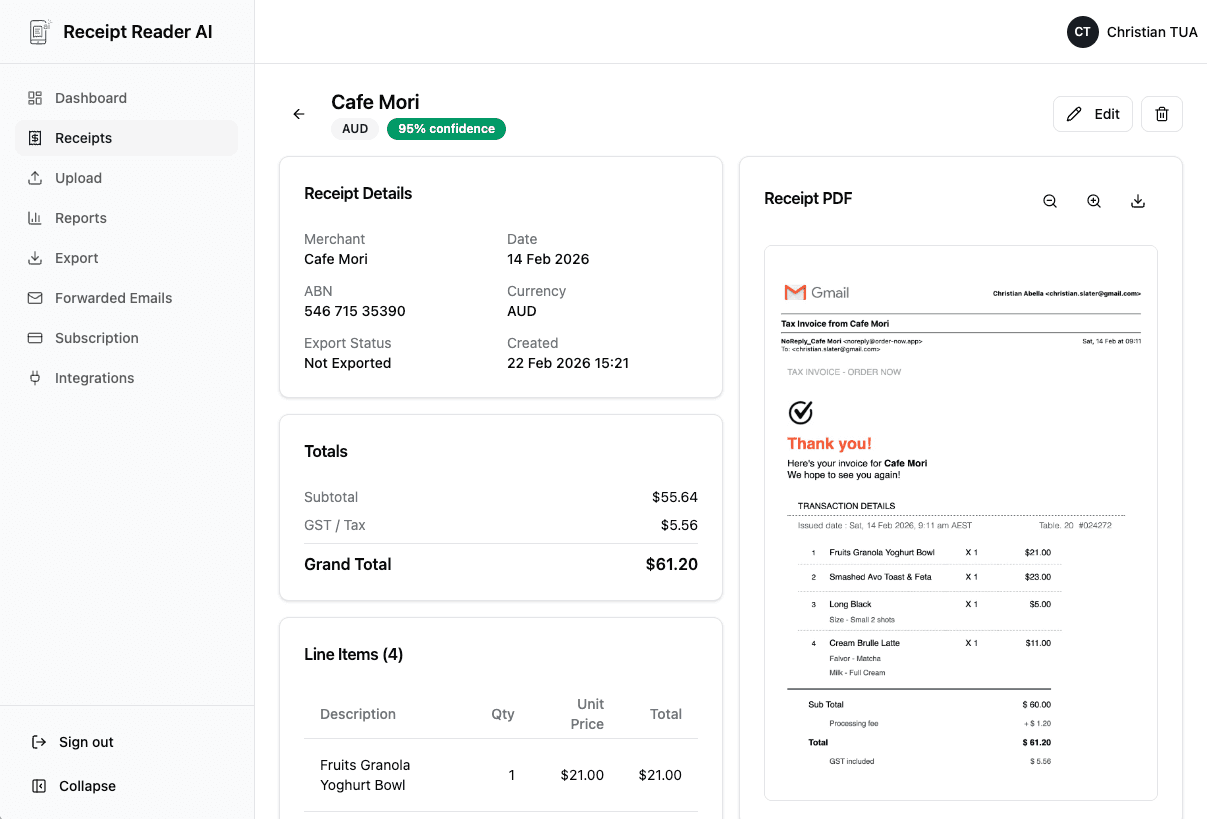
The AI reads the receipt and pulls out the store, items, totals, and tax. It suggests a category based on the merchant.
Tag to a Job
Assign the expense to a job, project, or client. Now you know exactly what each build is costing you in materials and overhead.
Better fit for finance workflows
Why Contractors Choose Receipt Reader AI
Practical features that fit the way contractors actually work, not how software companies think they work.
Decision points
Contractor Receipt Use Cases
Real examples of how contractors use Receipt Reader AI every day on the job.
Material Purchase Receipts
Scan your Home Depot, Lowes, or local supplier receipts right at checkout. The AI captures every line item so you know exactly what materials went to which job.
Fuel Receipts for Job Sites
Scan gas station receipts after every fill-up. Track fuel costs by vehicle or by job to understand your true transportation costs and maximize tax deductions.
Equipment Rental Receipts
Renting a mini excavator, scaffold, or compressor? Scan the rental agreement and receipt. Categorize under the job that needed the equipment for accurate project costing.
Subcontractor Payments
When you pay a subcontractor, scan or photograph their invoice. The AI extracts the contractor name, amount, and job description so you have a complete record for your books.
Objections and edge cases
Contractor Receipt Scanner FAQ
Common questions from contractors about tracking job expenses and managing receipts.
Can I scan receipts on a dusty or wet job site?
Yes. The mobile app works like your phone camera. Snap a photo of the receipt right at the hardware store or on the job site. The AI handles wrinkled, smudged, or partially damaged receipts and extracts the data even when the paper is not in perfect condition.
How do I track material costs for different jobs?
Use categories or tags to assign each receipt to a specific job or project. When you need to see how much you spent on materials for a particular build, filter by that job to get an instant cost summary.
Does it handle subcontractor receipts and invoices?
Absolutely. Upload or forward subcontractor invoices and the AI extracts the vendor name, amount, date, and line items. Categorize them under the relevant job so you have complete project cost visibility.
Can I export my expenses for tax deductions?
Yes. Export to CSV, PDF, Google Sheets, or accounting software like QuickBooks. Filter by category or date range to export only the receipts you need for tax filing or job cost reports.
What about fuel receipts from gas stations?
Gas station receipts are one of the most common receipt types contractors scan. The AI extracts the fuel amount, total cost, and station name. Track fuel expenses by job or vehicle to maximize your deductions.
Is there a free trial for contractors?
Yes. We offer a 14-day free trial with full access to all features including the mobile app, email forwarding, and exports. No credit card required to start.
Start with the web workflow
Every Receipt. Every Job. Always Organized.
Join contractors who have ditched the crumpled receipt pile and know exactly what every project costs. Try it free for 14 days.
Start Free TrialNo credit card required. 14-day free trial.