
Every Receipt Is a Tax Deduction Waiting to Happen
Stop losing deductions to lost receipts and messy records. Scan business expenses instantly, separate personal from business, and export Schedule C-ready reports at tax time.
Web signup, 14-day free trial, and direct export to your accounting workflow.
Decision points
Self-Employment Expense Tracking Is Broken
When you are your own boss, you are also your own accountant, admin, and receipt collector. These problems cost self-employed professionals thousands in missed deductions.
The Shoebox Problem
Receipts from office supplies, client lunches, and software subscriptions end up scattered across your desk, wallet, email, and car. By tax time, half of them are missing.
Mixed Personal and Business
You buy printer ink at the same store where you get groceries. Without clear separation, you either miss business deductions or risk claiming personal expenses.
Quarterly Tax Confusion
Self-employed professionals must pay estimated taxes quarterly, but without organized expense records, it is nearly impossible to know how much you actually owe.
IRS Audit Anxiety
Self-employed individuals are audited at higher rates than W-2 employees. Without proper receipt documentation, legitimate deductions can be disallowed by the IRS.
From Receipt to Tax Deduction in 4 Steps
A workflow designed for busy self-employed professionals who do not have time for manual bookkeeping.
Scan Any Receipt
Photograph receipts from office supply stores, restaurants, online purchases, or anywhere else. Forward email receipts directly to your account.
Smart Categorization
The AI identifies the merchant and assigns a Schedule C category. Set up rules for recurring vendors so they are always categorized correctly.
Mark as Business
Tag each expense as business or personal with one tap. Set default rules for specific merchants so the separation is automatic.
Export for Taxes
Download quarterly or annual reports organized by Schedule C category. Your tax preparer gets a clean spreadsheet instead of a box of receipts.
Better fit for finance workflows
Why Self-Employed Professionals Trust Receipt Reader AI
The average self-employed person misses $3,000 to $5,000 in deductions annually because of poor record keeping. Here is how we solve that.
Decision points
Common Self-Employment Expenses to Track
These are the deductions that self-employed professionals most frequently miss. Receipt Reader AI makes sure you capture every one.
Home Office Expense Receipts
Internet bills, office furniture, desk supplies, and a portion of your rent or mortgage. Scan these receipts to claim the home office deduction with confidence.
Health Insurance Premium Receipts
Self-employed individuals can deduct 100% of health insurance premiums. Keep monthly premium receipts organized for this valuable above-the-line deduction.
Professional Development Receipts
Online courses, conference tickets, professional books, and certification fees. These improve your skills and reduce your tax bill at the same time.
Software and Subscription Receipts
Accounting software, project management tools, cloud storage, and design apps. Monthly subscription receipts are easy to forget but add up to significant deductions.
Equipment and Supply Purchases
Laptops, monitors, printers, office supplies, and other equipment. These can be deducted in full under Section 179 or depreciated over time.
Professional Service Receipts
Accountant fees, legal consultations, business coaching, and virtual assistant services. Every professional service receipt is a deductible business expense.
Objections and edge cases
Self-Employment Expense Tracking FAQ
Common questions from sole proprietors, consultants, and self-employed professionals about organizing receipts and maximizing tax deductions.
How does Receipt Reader AI help with Schedule C deductions?
Receipt Reader AI automatically categorizes your business expenses into Schedule C-friendly categories like office expenses, supplies, professional services, travel, and meals. When tax time arrives, you can export a clean report organized by category that maps directly to Schedule C line items, so you and your accountant do not miss a single deduction.
Can I separate personal and business expenses?
Yes. You can tag receipts as personal or business when you scan them, or set up category rules that automatically classify expenses from certain merchants. This gives you a clear separation for tax purposes without needing a dedicated business bank account.
What self-employment expenses can I deduct?
Common deductions include home office expenses, internet and phone bills (business portion), professional development courses, software subscriptions, office supplies, health insurance premiums, travel expenses, meals with clients (50%), equipment purchases, and professional services like accounting or legal fees. Receipt Reader AI helps you capture all of these throughout the year.
Does it help with quarterly estimated tax payments?
While Receipt Reader AI does not calculate your estimated taxes directly, it gives you a clear picture of your business expenses each quarter. You can export a quarterly expense summary to help you or your accountant estimate your tax liability and make accurate quarterly payments to avoid penalties.
Will my records hold up in an IRS audit?
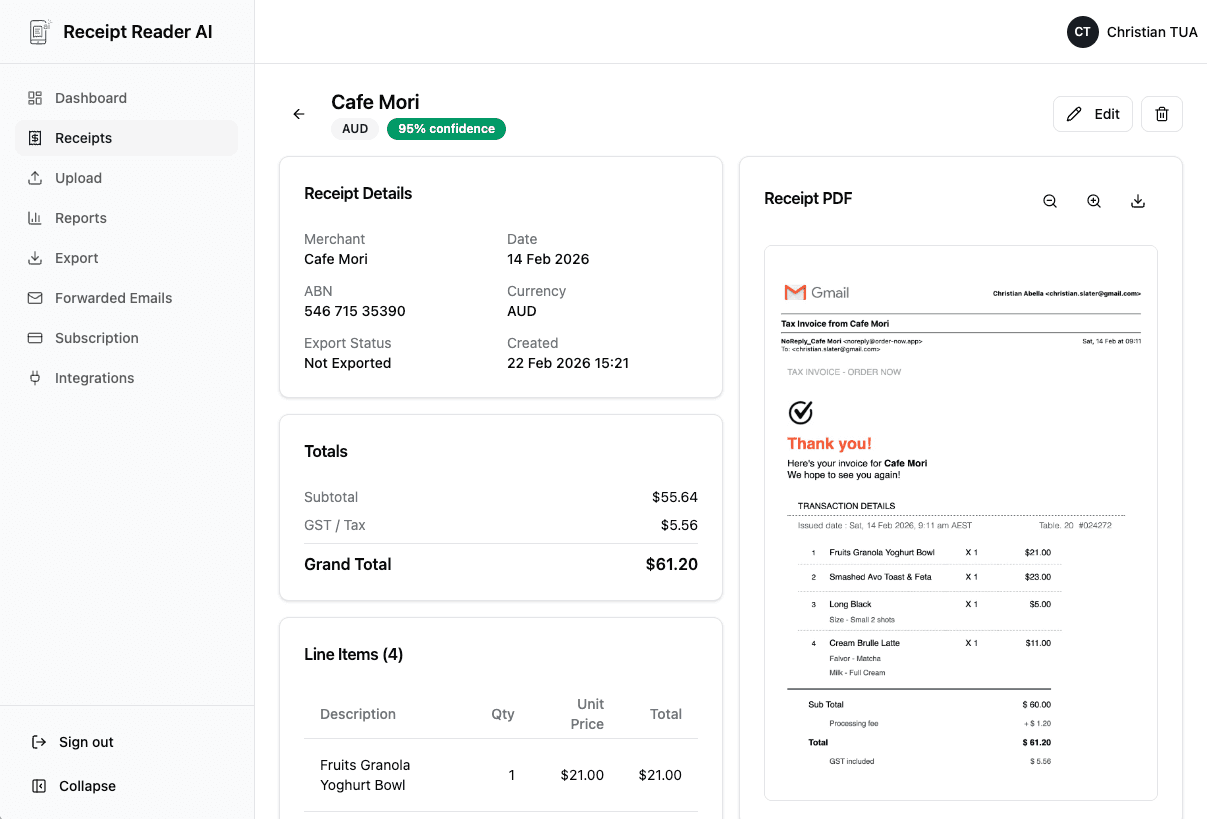
Receipt Reader AI creates digital copies of every receipt with the original image, extracted data fields, date, amount, and merchant — exactly what the IRS requires for expense substantiation. Your records are stored securely in the cloud and can be exported as organized reports with receipt images attached.
Can I use it if I have multiple income streams?
Absolutely. Many self-employed professionals have income from consulting, freelance work, rental properties, or side businesses. You can use tags and categories to track expenses for each income stream separately and export individual reports for each Schedule C or business activity.
Start with the web workflow
Take Control of Your Self-Employment Expenses
Every receipt you scan is a potential tax deduction. Start building your digital expense record today and save thousands at tax time.
Start Free TrialNo credit card required. 14-day free trial.