
Track Every Expense Across All Your Gigs
Driving for Uber, Lyft, DoorDash, or all three? Scan your gas receipts, car maintenance invoices, and phone bills in seconds to maximize your tax deductions.
Web signup, 14-day free trial, and direct export to your accounting workflow.
Decision points
The Gig Driver Expense Tracking Problem
When you are juggling multiple platforms and driving all day, keeping track of deductible expenses feels impossible. Sound familiar?
Too Many Platforms, One Tax Return
You drive for Uber in the morning, deliver for DoorDash at lunch, and do Instacart in the evening. Tracking which expenses go where is a mess without a system.
Gas Receipt Chaos
You fill up two or three times a week but the receipts pile up in your cup holder, glove box, or just get tossed. Each one represents money you could deduct.
Forgetting Deductible Expenses
Phone bills, car washes, insulated bags, phone mounts, parking fees — there are dozens of legitimate deductions that gig drivers forget to track throughout the year.
End-of-Year Tax Surprise
Many gig drivers are shocked by their tax bill because no taxes are withheld from gig income. Tracking expenses throughout the year reduces what you owe dramatically.
How Gig Drivers Use Receipt Reader AI
A simple workflow that fits between rides and deliveries.
Snap After Each Shift
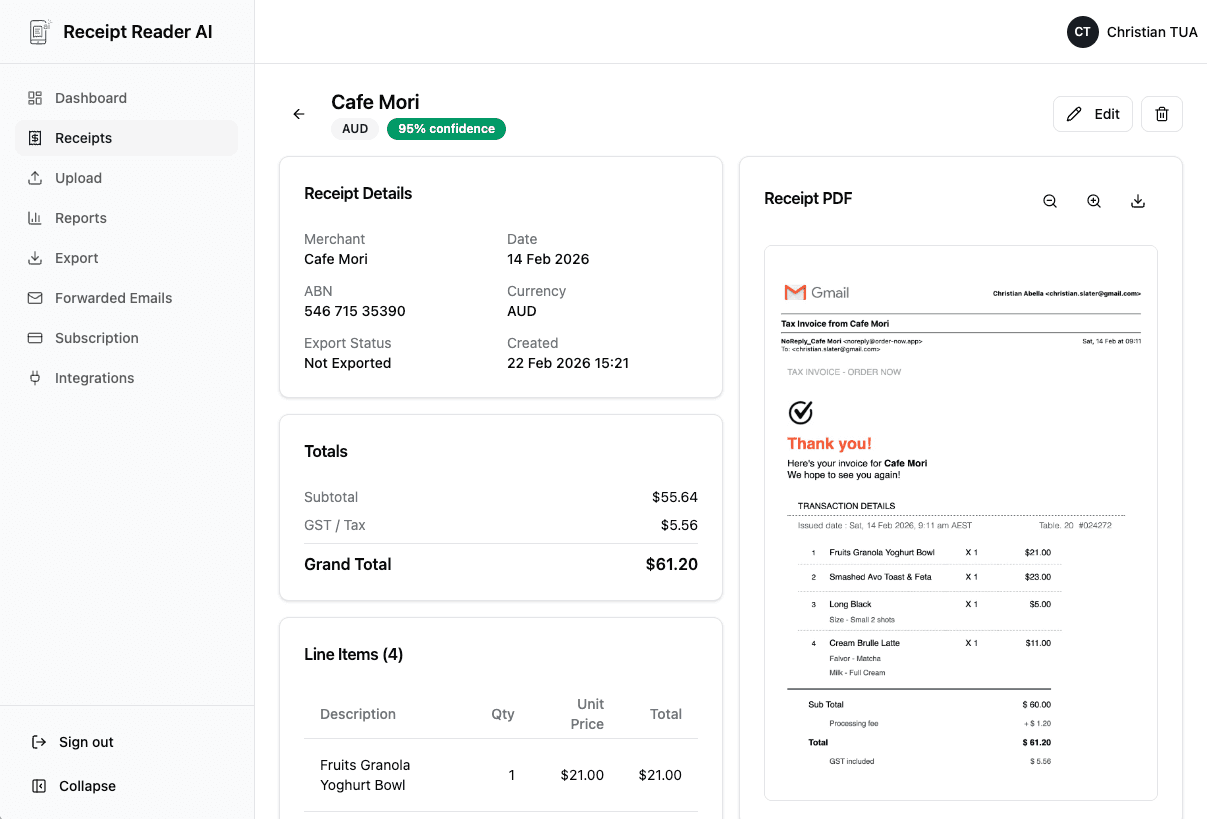
Take a quick photo of your gas receipt, car wash ticket, or any expense. The AI reads faded thermal paper and crumpled receipts with no problem.
Auto-Categorization
The AI identifies the merchant and automatically sorts expenses into fuel, maintenance, supplies, phone, parking, and other categories.
Tag by Platform
Add a tag for Uber, Lyft, DoorDash, or shared expenses. This lets you see the true cost of driving for each platform.
Export at Tax Time
Download a clean CSV or Excel file with every expense categorized and dated. Hand it to your accountant or use it for your Schedule C.
Better fit for finance workflows
Why Gig Drivers Choose Receipt Reader AI
The average gig driver misses over $2,000 in deductions per year simply because they do not track expenses consistently. Here is how we fix that.
Decision points
Expenses Every Gig Driver Should Track
These are the most commonly missed deductions for rideshare and delivery drivers.
Gas Station Receipts
Whether you choose the standard mileage deduction or actual expenses, having every fuel receipt documented gives you flexibility and backup proof for the IRS.
Car Wash and Maintenance
Oil changes, tire rotations, car washes, brake pads, and windshield wipers. Gig driving puts heavy wear on your vehicle, and all of it is deductible.
Phone and Data Plan Receipts
Your phone is your primary work tool for navigation, ride requests, and customer communication. The business-use portion of your monthly bill is a legitimate deduction.
Parking and Toll Receipts
Airport parking fees, downtown garage tickets, and highway tolls add up fast. Scan them before they get lost in your console and claim the deduction.
Delivery Supplies and Accessories
Insulated delivery bags, phone mounts, charger cables, dash cams, and even bottled water for passengers — all deductible business expenses that most drivers forget.
Insurance and Car Payments
The business-use portion of your auto insurance and car lease or loan payments can be deducted. Keep these receipts organized with your other gig expenses.
Objections and edge cases
Gig Driver Expense Tracking FAQ
Common questions from Uber, Lyft, DoorDash, and delivery drivers about tracking receipts and maximizing tax deductions.
Can I track expenses for multiple gig platforms in one app?
Yes. Receipt Reader AI lets you categorize receipts by platform or purpose. Whether you drive for Uber in the morning and deliver for DoorDash in the evening, you can tag each expense accordingly and export separate reports for each gig or a combined one for your tax return.
Should I use the standard mileage deduction or actual expenses?
It depends on your situation. Receipt Reader AI helps with both approaches. If you choose actual expenses, the app tracks all your gas, maintenance, insurance, and car payment receipts. If you use the standard mileage rate, your fuel and maintenance receipts still serve as backup documentation. Your tax preparer can compare both methods using your exported data.
What gig driver expenses are tax deductible?
Common deductible expenses include gas and fuel, car maintenance and repairs, car washes, phone and data plans (business-use portion), parking fees, toll charges, insulated delivery bags, phone mounts, and even bottled water for passengers. Receipt Reader AI helps you capture all of these so nothing slips through the cracks.
How do I track my phone bill as a gig driver expense?
Scan your monthly phone bill with Receipt Reader AI. Since you use your phone for navigation, receiving ride requests, and communicating with customers, the business-use portion of your phone and data plan is deductible. Most gig drivers deduct 50-75% of their phone bill.
Does it work for food delivery drivers too?
Absolutely. Whether you deliver for DoorDash, Uber Eats, Grubhub, or Instacart, the expenses are largely the same — fuel, vehicle maintenance, phone costs, and delivery supplies. Receipt Reader AI captures and categorizes all of them for your Schedule C filing.
Can I export my expenses for tax time?
Yes. You can export all your gig driving receipts as CSV, Excel, or PDF reports. Filter by date range, category, or custom tags. The exports include all extracted fields like merchant, date, amount, and category — ready for your Schedule C or to hand off to your tax preparer.
Start with the web workflow
Start Tracking Your Gig Expenses Today
Every receipt you miss is money left on the table at tax time. Start scanning in seconds and maximize your deductions.
Start Free TrialNo credit card required. 14-day free trial.