
A receipt scanner built for Xero workflows
Stop chasing receipts and retyping totals. Receipt Reader AI turns receipts into structured data so your Xero reconciliation is faster and cleaner.
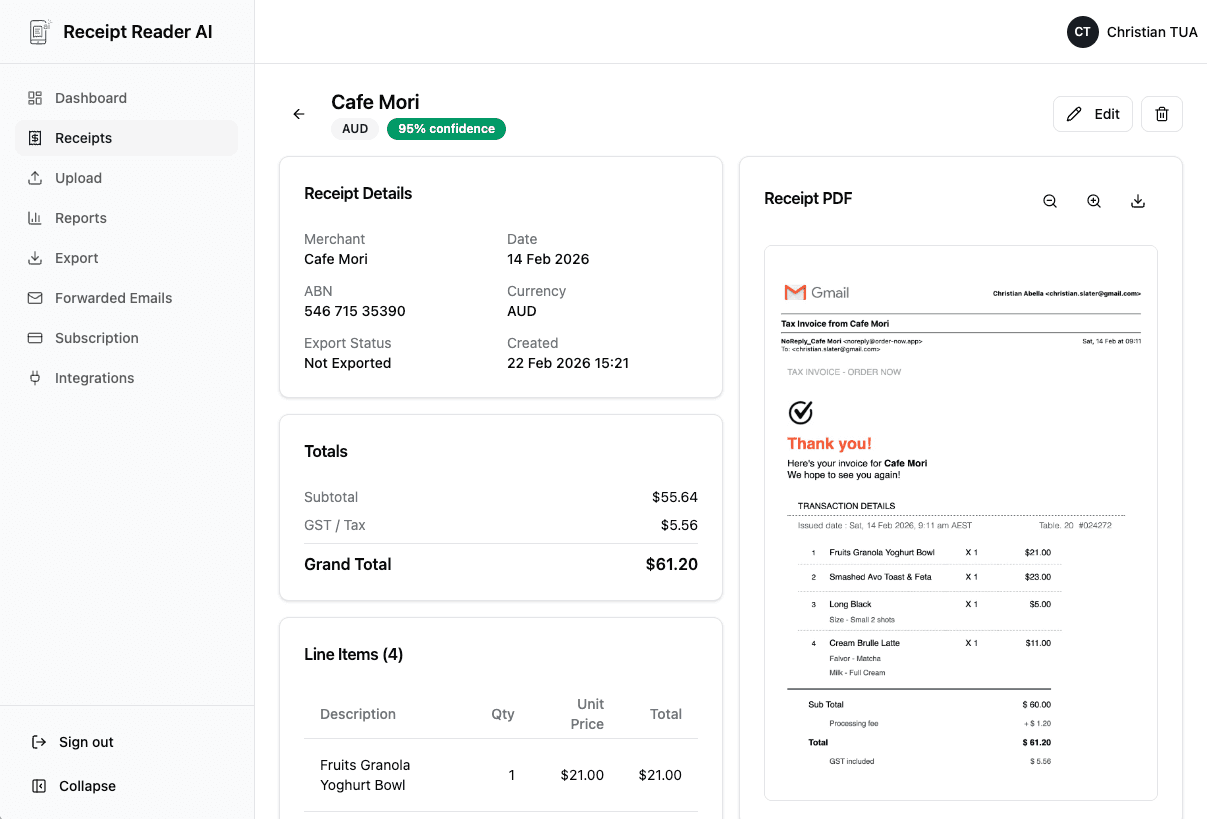
Typical Xero Workflow
From receipt to reconciliation in four steps.
Capture Receipts
Capture receipts via phone, upload, or email forwarding.
Review Extracted Fields
Review vendor, date, total, and tax fields extracted by AI.
Export to Xero
Export or sync into your Xero bookkeeping flow.
Reconcile with Confidence
Reconcile in Xero with clean, accurate data.
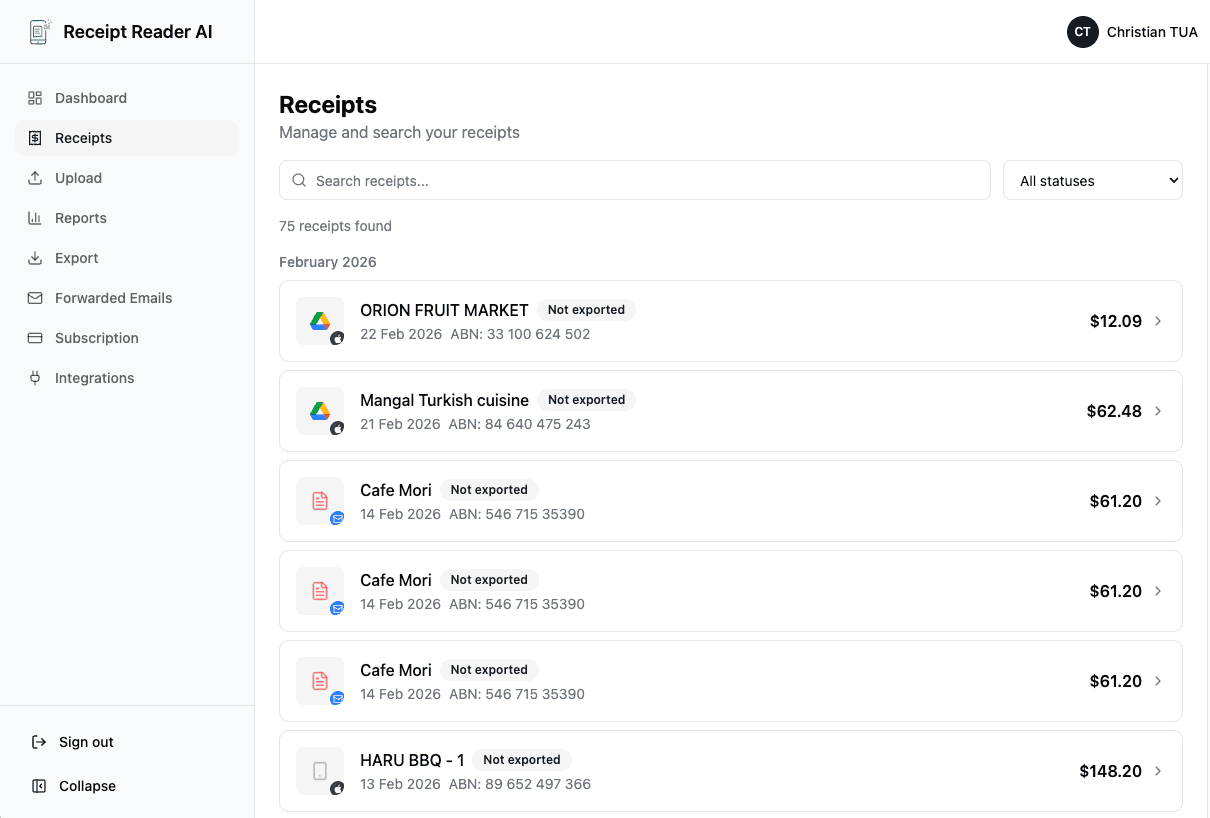
Why It's Better Than Manual Entry
Save time and reduce errors in your Xero workflow.
Built for Bookkeepers
Process multiple clients quickly with Xero-ready exports.
Process multiple clients quickly
Switch between client books without signing out, and keep each one separate.
Bulk export options
Send a month of receipts to CSV or Google Sheets in one pass.
Shared inbox workflows
Forward invoices from a shared address and have them land against the right client.
Frequently Asked Questions
Common questions about using Receipt Reader AI with Xero.
Does this integrate directly with Xero?
We provide Xero-ready export formats that make importing into Xero fast and easy. Direct API integration is coming soon.
What export formats are supported for Xero?
Export to CSV, Google Sheets, and structured formats designed for easy import into Xero.
Can I forward receipts from Gmail for Xero?
Yes! Forward receipts and invoices from Gmail or Outlook to your Receipt Reader AI address for automatic processing.
Does it capture GST / tax fields?
Yes, GST and tax fields are extracted where available — essential for Australian and NZ Xero users.
Can I tag clients or categories before export?
Yes, you can categorize receipts by client, project, or custom categories before exporting to Xero.
How do you handle duplicate receipts?
Our AI automatically detects and flags duplicates to prevent double entries in your Xero books.
Move faster in Xero without the data-entry grind
Scan your first receipt and export to Xero in minutes.
Get StartedNo credit card required. 14-day free trial.