
Keep Your YNAB Budget Accurate with AI Receipt Scanning
Track cash purchases YNAB cannot see, verify transaction amounts before they clear your bank, and keep every budget category accurate with scanned receipt data.
Web signup, 14-day free trial, and direct export to your accounting workflow.
How It Works with YNAB
A simple workflow that fills the gaps YNAB bank import leaves behind.
Snap the Receipt
Take a quick photo of your paper receipt right after a purchase, or forward the email receipt from your inbox.
AI Reads the Details
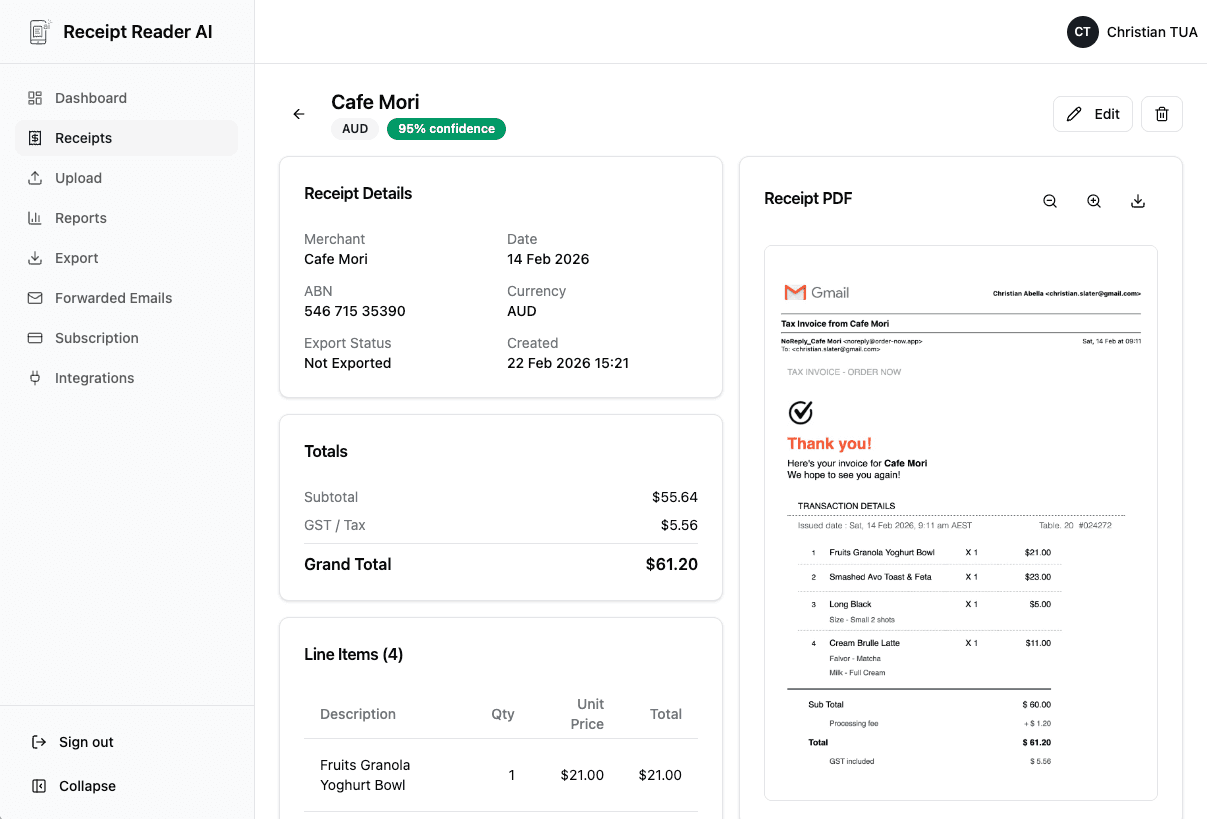
Our AI extracts the payee name, transaction date, total amount, and line items. Merchant names are cleaned up to match your YNAB payee list.
Assign YNAB Categories
Map each receipt to a budget category that matches your YNAB setup. Split transactions across multiple categories when needed.
Import into YNAB
Download the export file and import it into YNAB. Transactions appear in your register with the correct payee, amount, and category.
Better fit for finance workflows
Why YNAB Users Love Receipt Reader AI
YNAB is great at budgeting. Receipt Reader AI makes sure the data feeding your budget is complete and accurate.
Decision points
Integration Features
Designed specifically for the way YNAB users budget and track their spending.
YNAB-Compatible Import Format
Export receipts in the file format YNAB accepts for import. Date, payee, amount, and memo fields are all mapped correctly so transactions import cleanly into your register.
Payee Name Matching
Our AI normalizes messy merchant names from receipts into clean payee names. "STARBUCKS STORE #12847" becomes "Starbucks" to match what you already have in YNAB.
Category Mapping
Customize expense categories to match your YNAB budget categories exactly. The AI learns your preferences and suggests the right category for each new receipt.
Cash Transaction Tracking
The biggest gap in YNAB bank import is cash purchases. Scan cash receipts to capture every transaction your bank account never sees.
Split Transaction Support
A single receipt from a store like Target might cover groceries, household supplies, and clothing. Split the receipt into multiple category-specific transactions for accurate budgeting.
Date Format Matching
Receipts from different countries use different date formats. Our AI detects the correct date format and exports it in the standard YNAB expects, avoiding date confusion.
Objections and edge cases
YNAB Receipt Scanner FAQ
Common questions from YNAB users about scanning receipts and importing transactions.
Can I import scanned receipts directly into YNAB?
Receipt Reader AI exports your scanned receipts in a format compatible with YNAB file-based import. You download the export file and upload it to YNAB through their import feature. Each transaction includes the date, payee, amount, and a memo field so it maps cleanly to your YNAB register.
Does it work with YNAB category system?
Yes. Our AI categorizes each receipt into an expense category, and you can customize these to match your YNAB budget categories. When you export, the category field aligns with the names you use in YNAB, so transactions land in the right budget category without manual editing.
Can it track cash purchases that YNAB cannot see?
Absolutely. This is one of the biggest benefits for YNAB users. When you pay with cash, YNAB has no way to automatically detect the transaction. Snap a photo of the receipt and the purchase is captured with the exact amount, date, and payee, ready to import into your cash account in YNAB.
How does it handle split transactions?
When a single receipt covers multiple budget categories, like a grocery trip that includes food and household items, you can split the transaction into multiple line items with different categories. The export preserves these splits so YNAB records them correctly under each budget category.
Does it match payee names to my existing YNAB payees?
Our AI extracts the merchant name from the receipt and normalizes it. For example, a receipt from "WALMART SUPERCENTER #5432" becomes "Walmart." You can further customize payee names to match exactly what YNAB shows, keeping your payee list clean and consistent.
Is it worth it if YNAB already imports my bank transactions?
Yes, because bank imports miss cash purchases entirely, often delay by 1-3 days, and sometimes show cryptic merchant codes instead of recognizable names. Scanning receipts gives you immediate, accurate records with proper payee names and amounts you can verify against what your bank eventually posts.
Start with the web workflow
Never Miss a Transaction in YNAB Again
Track every purchase, including cash, with AI-powered receipt scanning. Import accurate data into YNAB and keep your budget honest. Try it free for 14 days.
Start Free TrialNo credit card required. 14-day free trial.