
The Receipt Scanner That Scales With Your Accounting Practice
Stop drowning in client receipts. Receipt Reader AI gives accountants and CPAs a centralized platform to collect, review, and export receipts across every client account.
Web signup, 14-day free trial, and direct export to your accounting workflow.
Decision points
The Problems Every Accountant Knows Too Well
If you have ever opened a shoebox of receipts from a client, these pain points will feel very familiar.
The Shoebox Problem
Clients hand you bags and boxes of crumpled receipts at tax time. Half are faded, some are missing, and none are organized. You spend hours sorting before the real work even begins.
Manual Data Entry Errors
Keying in hundreds of receipt amounts by hand leads to transposition errors, missed decimals, and incorrect totals that take even more time to find and fix during reconciliation.
Reconciliation Delays
When receipt data does not match bank statements, you waste hours hunting for discrepancies. Incomplete or illegible receipts slow down the entire month-end close process.
Managing Multiple Client Accounts
Juggling receipts across 20, 50, or 100 client accounts without a centralized system means context-switching all day and the constant risk of filing a receipt to the wrong client.
How It Works for Accountants
From client onboarding to clean exports, here is the workflow.
Invite Your Clients
Send an email invitation from your practice manager. Clients accept and their account links to your dashboard.
Clients Submit Receipts
Clients snap photos, forward email receipts, or upload files. Everything lands in your centralized review queue automatically.
Review & Approve in Batch
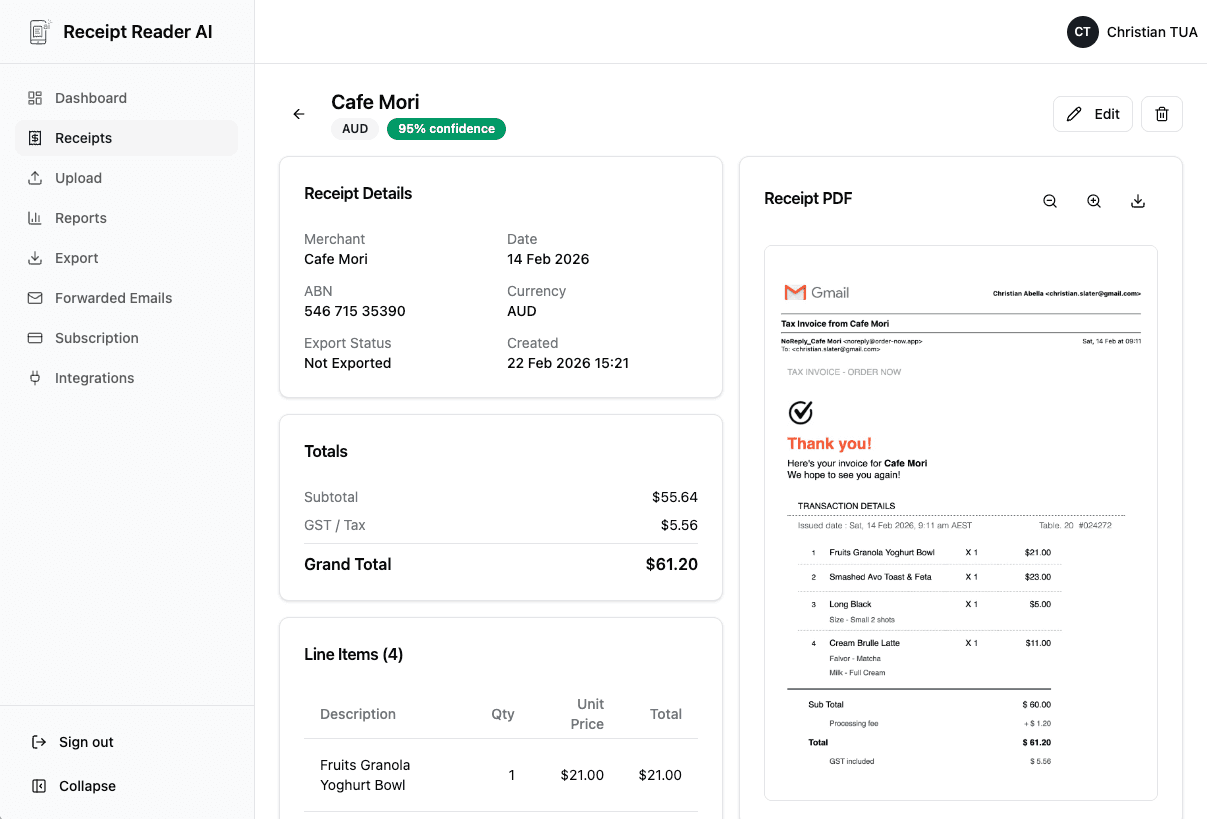
See all client receipts in one queue. Verify extracted data, adjust categories, and approve or reject with a single click.
Better fit for finance workflows
Why Accountants Choose Receipt Reader AI
Purpose-built features that save accounting professionals hours every week and eliminate the busywork that drains your practice.
Decision points
How Accountants Use Receipt Reader AI
Real workflows for real accounting practices.
Tax Season Receipt Processing
When clients dump a year of receipts on you in February, batch upload and process them all at once. The review queue lets you power through approvals and export clean data for tax returns.
Monthly Bookkeeping
Set up a rhythm where clients submit receipts throughout the month. Review and categorize at month-end, then export directly to your accounting software for fast reconciliation.
Client Receipt Collection
Instead of chasing clients for missing receipts, give them their own account. They scan or forward receipts as they come in, and you see them instantly in your practice manager.
Audit Preparation
Every receipt is stored with its original image, extracted data, and a timestamp. When a client faces an audit, you have organized, searchable proof of every expense.
Objections and edge cases
Accountant Receipt Scanner FAQ
Common questions from accountants and CPAs about managing client receipts.
How does the practice manager feature work for accountants?
The practice manager lets you invite clients to your practice, then view and manage their receipts from your own dashboard. Clients upload or forward their receipts, and you see them in a centralized review queue where you can approve, reject, or recategorize before exporting.
Can my clients upload their own receipts?
Yes. Each client gets their own account where they can snap photos, forward email receipts, or upload files. Their receipts flow into your practice manager dashboard automatically, so you never have to chase clients for missing documents.
Does it handle batch processing for tax season?
Absolutely. Clients can upload multiple receipts at once, and the AI processes them in batch. You can review an entire month of expenses in your review queue, approve them all, and export in one go.
How accurate is the AI data extraction?
Our AI uses advanced OCR and machine learning to extract merchant names, dates, totals, tax amounts, and line items with high accuracy. You can review and correct any fields in the review queue before finalizing.
Can I export receipts to accounting software?
Yes. Export to CSV, PDF, Google Sheets, or sync with QuickBooks and Xero. The export includes all extracted fields and your assigned categories, ready for import into your accounting workflow.
Is client data kept separate and secure?
Each client account is fully isolated. As a practice manager, you can only see clients who have accepted your invitation. All data is encrypted in transit and at rest, and we never share client data between accounts.
Start with the web workflow
Modernize Your Practice. Ditch the Shoeboxes.
Join accounting professionals who save hours every week with automated receipt collection, AI extraction, and multi-client management.
Start Free TrialNo credit card required. 14-day free trial.